uv
What is uv?
uv is a next-generation Python package manager and virtual environment tool developed by Astral (creators of Ruff). It aims to replace slow and fragmented Python tooling with a single, fast, unified solution.
At a glance, uv is:
- Extremely fast — built in Rust, 10–100× faster than pip/conda/poetry
- A unified tool — environments, dependency resolution, package management, execution — all in one
- Fully compatible with the Python ecosystem — pyproject.toml, PEP standards, pip-compatible commands
- Drop-in replacement for many tools —
pip,virtualenv,pipx, dependency solvers, executors - Reliable & reproducible — lockfiles ensure deterministic builds
- Simple — no environment activation needed for most tasks
uv removes a large part of Python’s traditional environment chaos and speeds up everything dramatically.
Why uv?
Traditional Python workflows often suffer from:
- slow dependency resolution (pip, conda)
- conflicting tools (pip vs conda vs poetry)
- long environment creation times
- “it works on my machine” problems
- confusing activation steps
- slow startup of CLIs
- mixing system Python vs environments
uv aims to solve these by offering:
- a single consistent workflow
- extremely fast operations
- reproducible lockfiles
- caching to avoid redundant downloads
- compatibility with existing Python projects
- great developer ergonomics
uv is built to make the Python ecosystem feel modern, fast, and predictable.
Install uv
Installation instructions are available here https://docs.astral.sh/uv/getting-started/installation/.
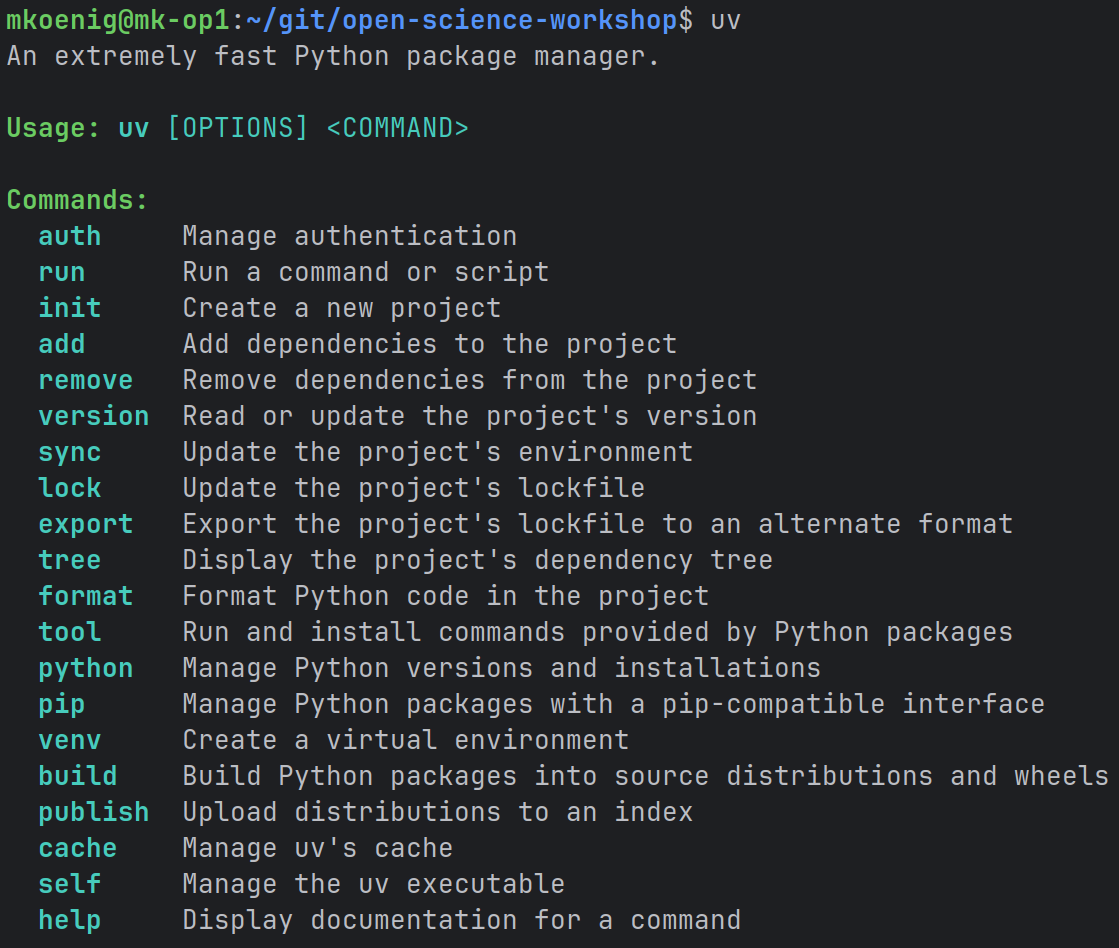
To test the installation run
uvin your terminal.
Clone the Workshop Repository
To demonstrate some of the functionality of uv we will use the workshop repository. Use a git client such as GitHub Desktop to get the latest code.
Or use the git client via the command line
git clone https://github.com/matthiaskoenig/open-science-workshop.git
cd open-science-workshop
Synchronize Dependencies
Create a fully reproducible environment based on pyproject.toml:
uv syncThis installs the python interpreter and all dependencies.
❓ Explore
- How long did it take?
- Which folders did uv create? (
.venv/,uv.lock) - Does this replace
pip install -r requirements.txt?
Inspect the Environment
🔍 List installed packages
uv pip list🔍 Show the dependency tree
uv tree❓ Explore
- Which packages are direct dependencies?
- Which ones are transitive?
Add, Remove, and Re-Add a Dependency
A — Add a new package (example: pandas)
uv add pandasCheck:
uv pip list
uv tree
B — Remove the package
uv remove pandasThen verify:
uv pip list
uv tree
C — Add it again (cached!)
uv add pandas❓ Observations
- Was the second installation faster? Why?
- Did the lockfile and pyproject update correctly?
Running Python Through uv
uv allows running commands in the environment without activation:
uv run pythonFor instance we can execute the Hello World script.
uv run src/osw/hello_world.pyIn the pyproject.toml the script was registered and can be executed via
uv run hello_world❓ Explore
- Does uv run inside the correct environment?
- How does this feel compared to activating the environment via
source .venv/bin/activate?
Further Reading
- Official site: https://docs.astral.sh/uv/
- GitHub: https://github.com/astral-sh/uv
- DataCamp Tutorial: https://www.datacamp.com/tutorial/python-uv?dc_referrer=https%3A%2F%2Fduckduckgo.com%2F