cy3sbml
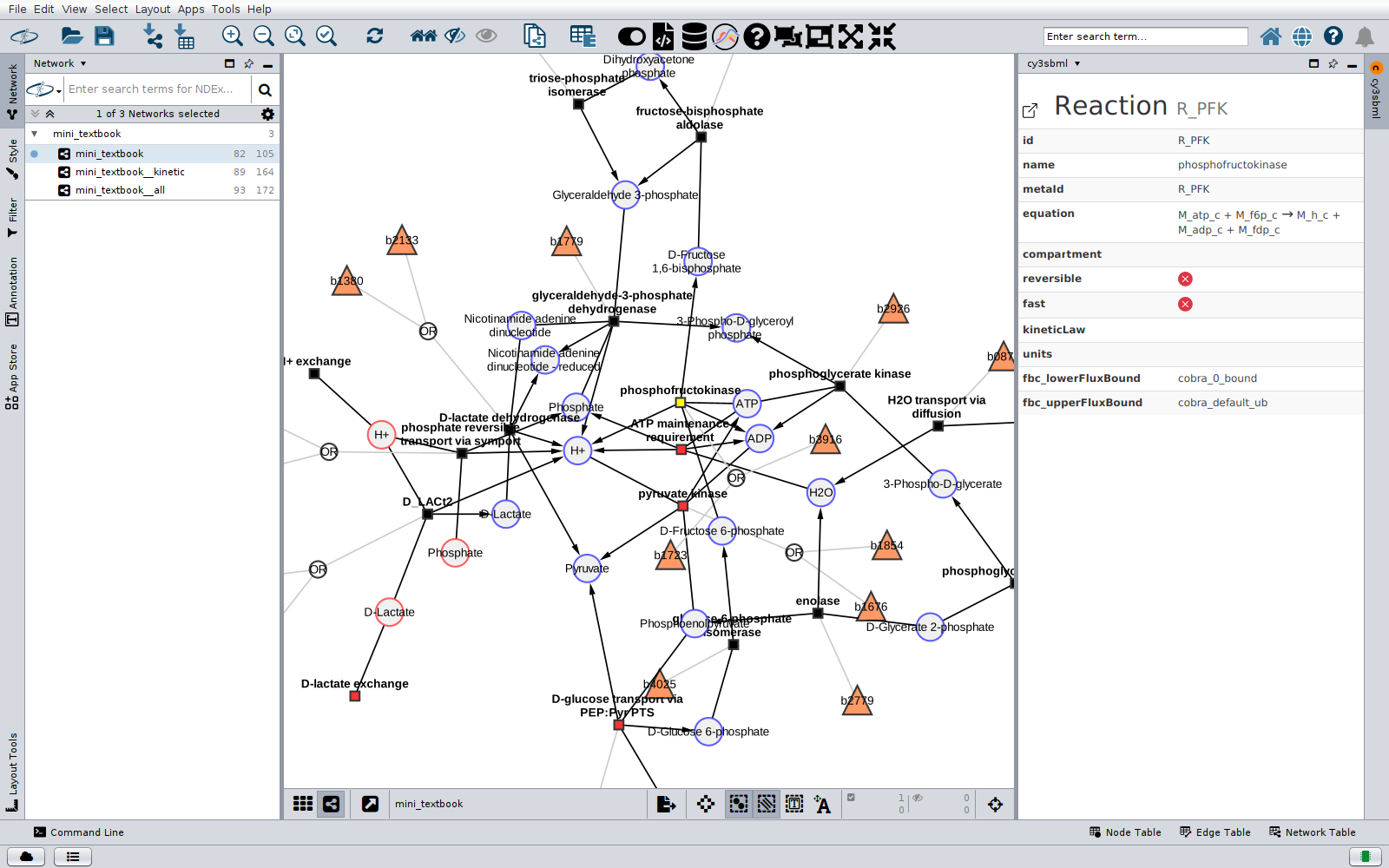
cy3sbml is a Cytoscape app that imports models in the Systems Biology Markup Language (SBML) as Cytoscape networks. It reads SBML with JSBML and shows the SBML information and the annotations of the selected object in a panel next to the network.
Features
- Import of all SBML levels and versions, including the packages
qual,fbc(versions 1 to 3),comp,groups,distribandlayout. See Supported SBML packages. - Three networks per model: the reaction network, a kinetic network with parameters,
rules and kinetic laws, and a network with all SBML objects, plus one network per layout
of the
layoutpackage. See Network model. - A panel with the SBML attributes, the annotations, the history and the notes of the selected object. Annotations are resolved with the identifiers.org registry, the Ontology Lookup Service, UniProt and ChEBI. See Info panel and annotations.
- One click opens the model of a network in sbml4humans, a human readable report of the model. See Info panel and annotations.
- Visual styles for SBML networks, a light one and a dark one, each with a variant for the layout networks. See Styles.
- Example models, and search and import of models from BioModels. See Importing SBML.
- Automation from Python, R and other languages: commands for the import, the SBML of the networks and the mapping of data onto the nodes, in the Cytoscape command line and the REST API (CyREST), with Python examples. See Automation and REST API.
- The layouts of the SBML
layoutpackage as networks with the drawn positions, and saving and loading of the node positions of a network. See Layouts. - Splitting of cofactor nodes into one node per edge, and merging them back. See Cofactor nodes.
- Import of the SBML models of COMBINE archives (OMEX). See Importing SBML.
cy3sbml has no built-in SBML validator, see Validation. The SBML packages that are not converted are listed in Supported SBML packages.
Getting started
- Install cy3sbml from the Cytoscape App Store, see Installation.
- Click the SBML examples button in the Cytoscape toolbar and load one of the example models, or import your own SBML file with Import SBML.
- After the import, the base network of the model is shown. The Network panel lists
it with the other networks of the model (
<name>__kinetic,<name>__all) in the collection of the model. - Select nodes in the network. The cy3sbml panel on the right shows the information of the selected object. Help in the toolbar shows the help page with all toolbar buttons of cy3sbml.
Links
- Cytoscape App Store: apps.cytoscape.org/apps/cy3sbml
- Source code: github.com/matthiaskoenig/cy3sbml
- Bug tracker: GitHub issues
- Changes of every version: Release notes
- How to cite cy3sbml: Citation