Layouts
Layout on import
cy3sbml applies the Cytoscape force-directed layout to every network view it creates,
except the views of the layout networks (below). If this layout is not available, the
default layout of Cytoscape is used. You can apply any other Cytoscape layout afterwards
with the Layout menu.
SBML layouts
The layouts of the SBML layout package are imported: every layout of a model becomes a
network <name>__layout_<layout id> in the collection of the model, whose view shows the
layout as it is drawn. Every glyph is a node at the position and in the size of its
bounding box, with the style cy3sbml-layout (cy3sbml-dark-layout for the dark style).
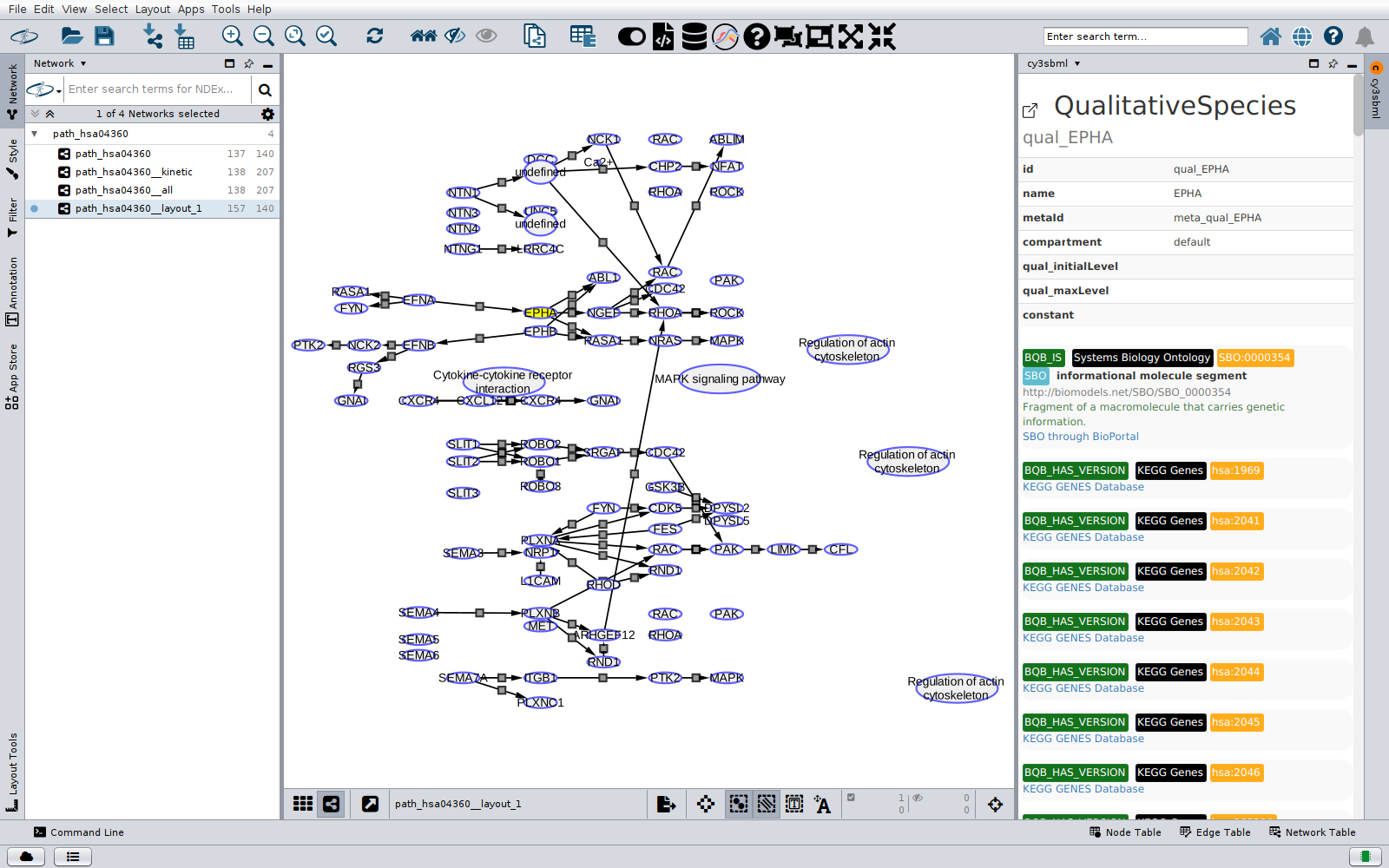
- Aliases. A layout can draw an element several times, for example a protein that
appears in several places of a KEGG pathway. Every glyph is a node of its own, with the
columns of the element (same
cyId,sbml id, name, ...), so selecting any of them shows the element in the info panel. - Glyphs. Compartment glyphs are drawn as semi-transparent round rectangles behind the other nodes. Species, reaction and general glyphs are nodes, and the text glyphs are the labels of the glyphs they belong to. A glyph whose element is not in the model is a node of its own; selecting it shows the glyph.
- Edges. The species reference glyphs of a reaction glyph become the edges between the
reaction and the species, with the type and the columns of the reactant, product or
modifier edge of the model; without such an edge, the edge gets the type of the role of
the glyph, for example
reaction-inhibitor. A reaction glyph without species reference glyphs is connected to the nearest glyph of every participant. The reference glyphs of a general glyph are edges of the typelayout:reference. - Reactions without glyph. Many layouts draw only the species (for example the KEGG layouts of qualitative models). A reaction or transition without glyph is a small node without label between the nearest glyphs of its participants, connected to them.
- Missing geometry. A glyph without bounding box, or without width and height, is a point: its position is the centre of the node, with the size 30 (12 for reaction glyphs).
Not supported yet: the curves of the glyphs (edges are straight lines), the render
package, and text glyphs that do not belong to a glyph. See
Supported SBML packages.
Save and load node positions
The toolbar buttons Save Layout and Load Layout store the node positions of a network view in an XML file, and apply them to a network view again. Use them to keep a manually arranged layout of a model, and to apply it after a new import of the model, for example after the model was changed.
Save Layout writes the position and size of every node of the current network view:
<layout>
  <listOfBoundingBoxes>
    <boundingBox cyId="PX" id="PX" xpos="120.5" ypos="-43.0" height="35.0" width="35.0"/>
    <boundingBox cyId="law__v1" xpos="80.0" ypos="12.5" height="35.0" width="35.0"/>
    ...
  </listOfBoundingBoxes>
</layout>
The cyId identifies the node (column cyId): it is the unique id cy3sbml gives every SBML
element of the model, the metaid of the element if it has one, else an id derived from the
SBML id or the parent element, for example law__v1 for the kinetic law of the
reaction v1. The id is the SBML id of the node (column sbml id), only written for
nodes of elements with an SBML id. The nodes of a layout network also have the glyph
(column layout_glyph), because the aliases of an element have the same cyId.
Load Layout reads such a file and moves every node of the current network view whose
cyId (glyph for the nodes of a layout network) is in the file to the stored position.
Nodes without a stored position keep their position. The stored sizes are not applied. Layout files of cy3sbml versions before
0.7.0 have only the id; their positions are applied to the nodes with this SBML id.
Because every node is matched by its cyId, a layout file positions all nodes, also the
nodes of elements without SBML id such as kinetic laws, rules, units and the fbc AND and
OR nodes. It can be applied to every network of the same model, and to other versions of
the model with the same ids and metaids. SBML Level 1 has no metaids, so in Level 1 models
only the nodes with an SBML id are positioned.