Installation
Requirements
cy3sbml runs in Cytoscape 3.10 (it is built against the Cytoscape API 3.10.0 and tested with Cytoscape 3.10.4). Cytoscape 3.10 runs on Java 17 and ships JavaFX, which the cy3sbml panel uses. No further software is needed.
Always use the latest release of Cytoscape and of cy3sbml. Bug reports are only handled for the latest versions.
The annotation lookups in the info panel and the BioModels import need an internet connection. cy3sbml uses the proxy settings of Cytoscape (Edit → Preferences → Proxy Settings...).
Install from the App Store
The recommended way is the Cytoscape App Store.
In Cytoscape:
- Open Apps → App Store → Show App Store. The App Store panel opens on the left side of the Cytoscape window.
- Type
cy3sbmlinto the field Search the App Store.... - Install cy3sbml from the result.
In a web browser:
- Start Cytoscape.
- Open cy3sbml in the Cytoscape App Store.
- Click Install. The App Store installs the app into the running Cytoscape.
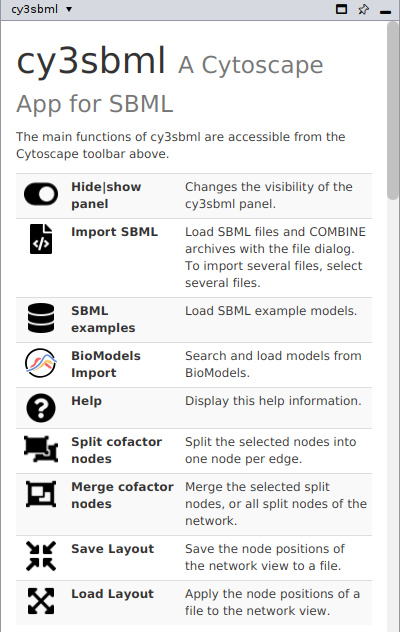
After the installation, cy3sbml adds its buttons to the toolbar and the cy3sbml panel to the right side of the Cytoscape window.
Install a jar file
Every release on GitHub has the
app jar cy3sbml-<version>.jar with its checksums. To install it:
- Download
cy3sbml-<version>.jar. - In Cytoscape, open Apps → App Store → Install Apps From File and select the jar.
Development builds are installed the same way, or with a symbolic link into the Cytoscape apps folder, see Building.
Update, disable or uninstall
Open Apps → App Store → Show App Store. The App Store panel lists cy3sbml under Installed apps. The icons in its row uninstall the app (trash can), enable or disable it (check box), and update it (arrow, green if a new version is available).
Files written by cy3sbml
cy3sbml writes its log file, the resources of the info panel, and the models downloaded
from BioModels (folder biomodels) into ~/CytoscapeConfiguration/cy3sbml/. The log file is
named cy3sbml-v<version>.log. Attach it to bug reports. The setting of cy3sbml, the visual
style of new imports, is in ~/CytoscapeConfiguration/cy3sbml.props, see
Styles.